Designing a Smart Procurement Workflow to Prevent Duplicate Purchases
A solution to preventing duplicate purchases at your organisation
Overview
Duplicate Software Purchases are a thing
Large companies use an internal procurement portal to buy software. When an employee requests a tool, it goes through finance, IT, legal, and procurement before access is granted. Sometimes, employees are unaware that the software they need is already available, leading to duplicate purchase requests.
I designed an AI-powered, web-based purchasing experience for an internal procurement platform that ensures a seamless and intelligent buying process.
Timeline
July 2025 / 7 days, weekend included
Role
Solo product designer
Team
Just me; brief and review by the ORO Labs team.
Demo
Let’s first see the product in action
Users
Introducing our main characters
Before we get into the nitty-gritty of how I figured the solution out, let’s take a quick look at the situation we’re dealing with!
AmarLead, Marketing Design, ACME
Busy leader, very particular about spending time mindfully
Amar’s goals & needs
Find the most suitable software as soon as possible
Submit a purchase request easily & quickly
Pain points
Taking lot of time in extensive research for the best software
Unsure whether the software licenses already exist with the org
No guidance on approval requirements upfront
AlishaProcurement Specialist, ACME
New recruit, very proactive. Also mindful of her bandwidth
Alisha’s goals & needs
Ensure the requests are all complete and accurate
Ensure the purchases are routed to various teams (IT, Security, Finance etc)
Pain points
Relying on memory alone isn’t sustainable to flag duplicate requests
Delays in getting necessary approvals from stakeholders
Here’s how a typical Purchase Request gets processed
Step 1
Requester does an extensive research online to get the best software for his team
Step 2
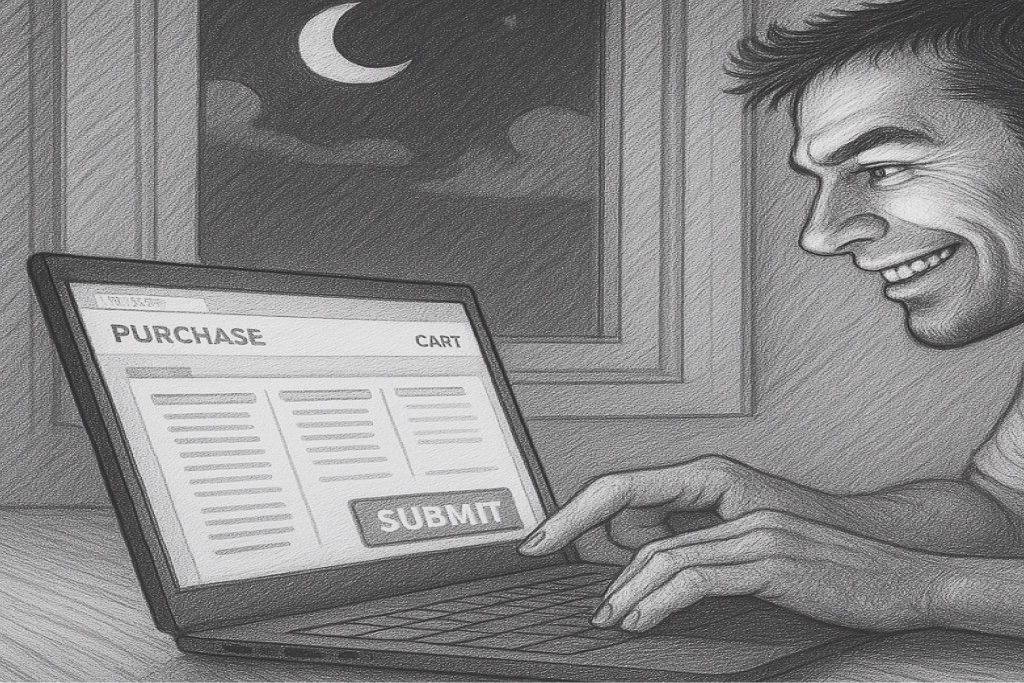
After 2 days of effort, Requester picks a tool and submits a purchase request
Step 3
Alisha recalls that this software already exists in ACME’s inventory
Step 4
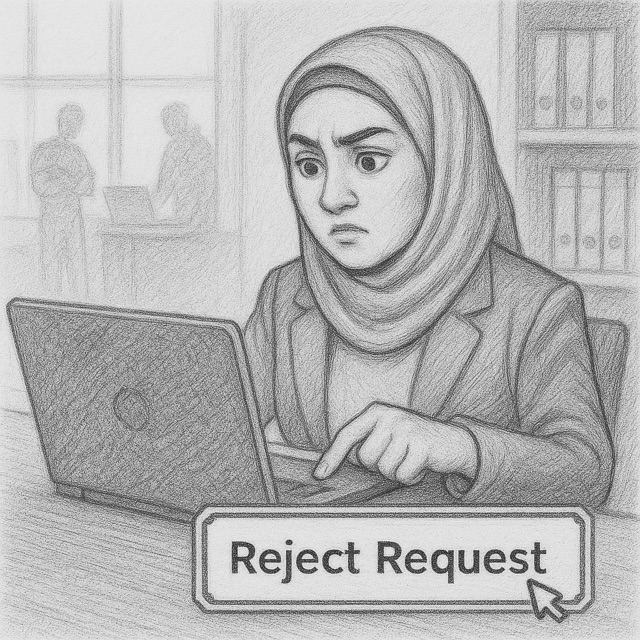
She rejects the request, citing the existence of the requested software
Note
This user journey that I mapped out is based on the insights from desk research and 4 user interviews
Problem statement
Duplicate software purchase requests cause problems across multiple levels
Requester researched and requested a tool the company already owns. The procurement specialist (Alisha) rejected it only because she remembered the earlier purchase.
User level problem
This whole ordeal cost Requester hours which he could’ve spent productively.
Business level problem
And if Alisha had missed it, it could’ve caused a redundant purchase costing ACME money.
Solution
Which journey was worth solving for?
I ended up solving for Journey 1 because it addresses the core issue where Requester needed to be aware that the required software was already available. This way, he can avoid making duplicate purchase requests and prevent unnecessary software purchases.
Journey 1 (I picked this)
Help the Requester find and pick the right software in the procurement platform.
Journey 2
Help the Procurement Specialist detect duplicate software requests.
With that, I came up with the following design solution
An AI assisted system in the procurement platform that informs users of existing software.
To go a step further, it can research on their behalf to find the most suitable software from its inventory based on their needs.
Design
Setting the scope
I mapped the whole purchase process, then designed the part that creates the problem.
My journey map covered all of it: Requester’s research, Alisha’s review, automatic routing to finance, IT and legal, AI-written requests for proposals (RFPs), vendor demos and contracts. But designing every step would have meant a thin pass over all of them.
Due to time constraints and to show a quick proof of work, I scoped it down to these 3 use cases
Use case 1
Research for suitable software within the procurement platform
Use case 2
Gaining access to the recommended software
Edge case
What if Requester needs more licenses?
Use case 1
Helping the Requester research for suitable software within the procurement platform
1
Enter your query in the chat box
The assistant lives on the portal’s home page, where the Requester can enter his query. Research is the mode for Requester’s problem.
2
Smart dynamic form based on the inputs
The assistant presents multiple-choice questions with an “Others” option and a text box. It can ask follow-up questions.
3
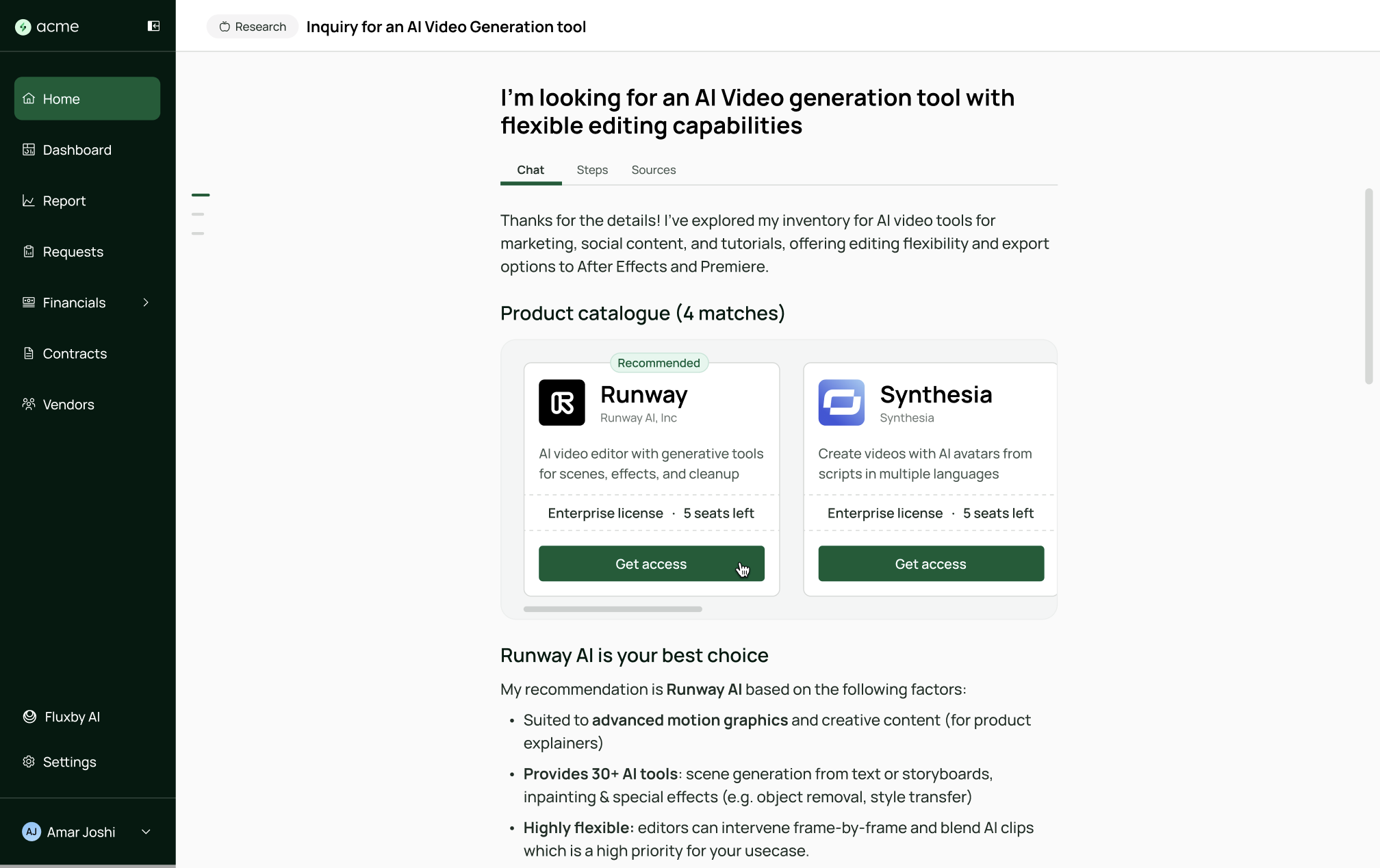
AI finds software that fits your needs.
The assistant reviews Requester’s answers and surfaces a shortlist of tools that match the procurement requirements.
4
It suggests top software with quick explanations.
The assistant surfaces the strongest matches with short summaries so Requester can quickly compare options.
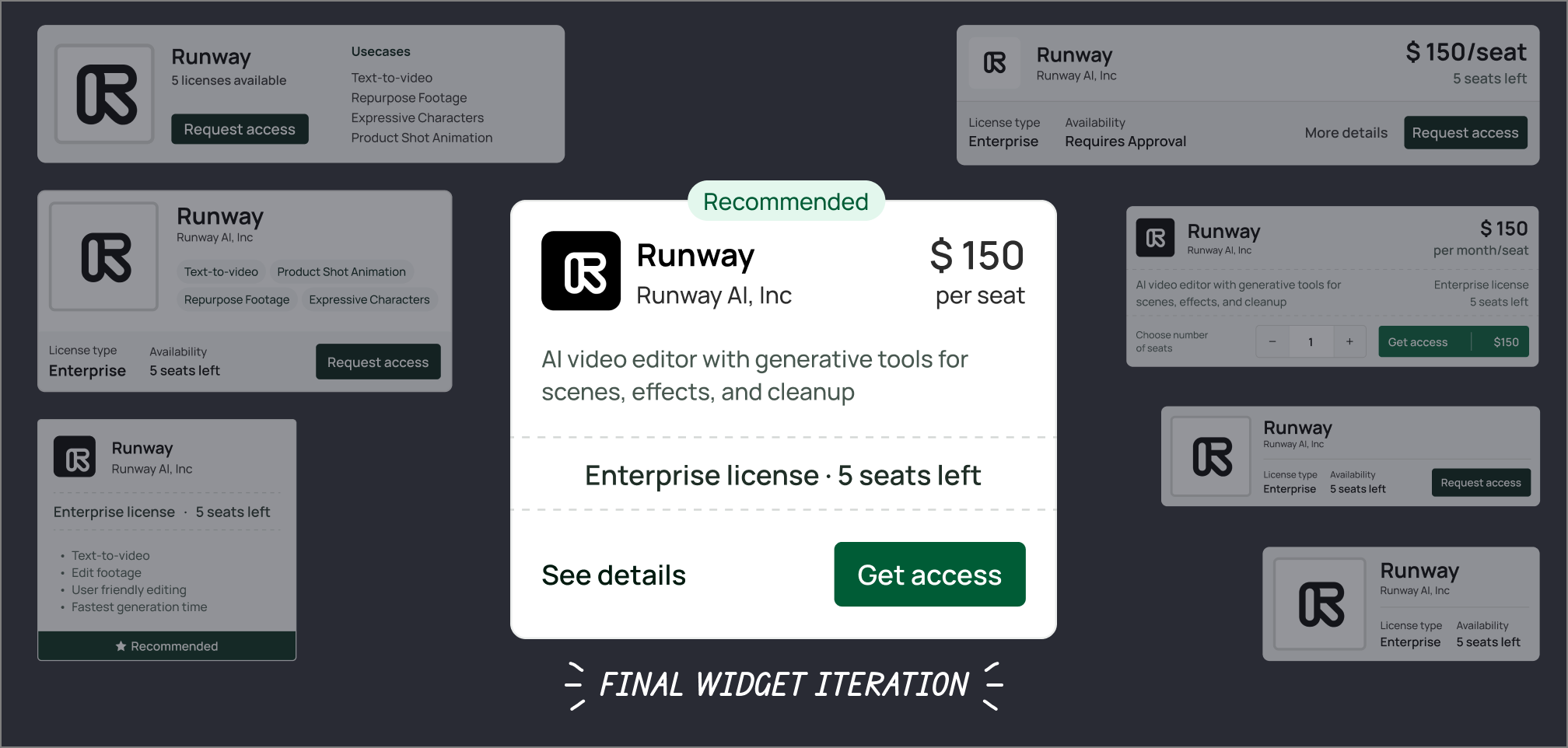
The software suggestion widget went through the most iterations
Since the software widgets would be the ones which the users would be interacting with the most in the research phase and they need to get as much information as possible at a short glance, it is really important for the cards to be designed with those needs in mind. Also with the consideration that the user would want to click on these cards to request access.
Use case 2
Gaining access to the recommended software
1
Pick the software you want
From the shortlist of tools the company already owns, the Requester picks one and taps “Get access”. No separate request form opens.
2
AI itself recommends who can be assigned seats
The assistant suggests teammates by role (video editors, motion graphics designer) so the Requester doesn’t start from a blank list.
3
Choose who should be assigned
The Requester confirms the suggested teammates, or searches for anyone else who needs a seat. Access is granted straight from the chat.
4
After assignment, AI creates a log of the activity
The assistant records a licence log with the software, licence type, renewal date and who got a seat, so there’s a clear record without extra paperwork.
Edge case
What if Requester needs more licenses?
1
AI will state that extra seats cost time and money
If the requester requires 10 seats but only 5 seats are available, the tool will give him a heads up about how much the extra seats would cost and how long they will take to get approved.
2
It provides a clear breakdown of the approval process.
Before the Requester decides anything, the assistant walks through each approval step and who handles it, so they know who to contact along the way.
3
It will nudge Requester to access available seats for the time-being.
Instead of making the whole team wait, the assistant suggests using the 5 free seats right away, so part of the team can start working immediately.
4
If Requester confirms on getting extra seats, the AI will begin approval
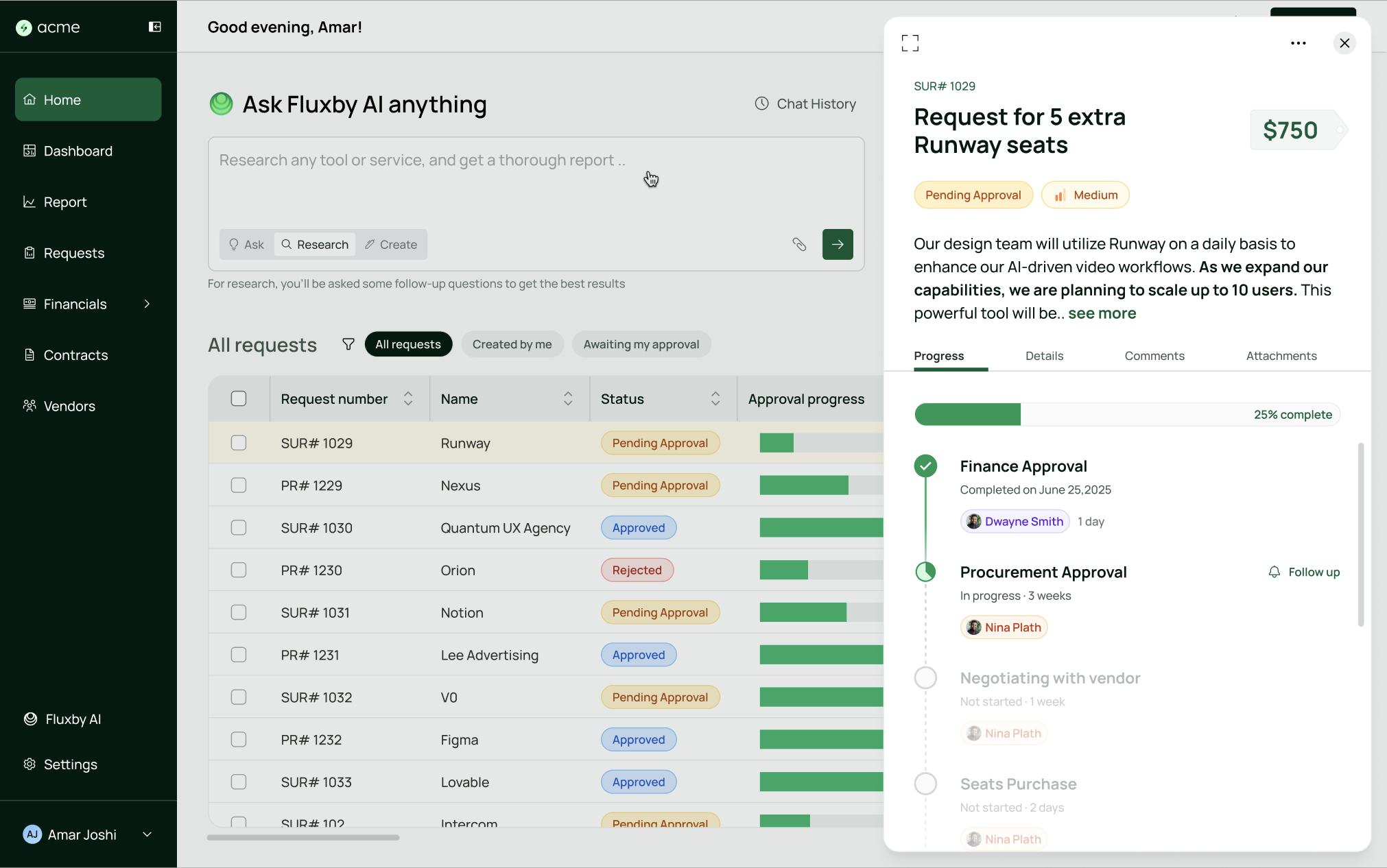
The assistant drafts a seat upgrade request with the details already filled in. The Requester can pre-assign the extra seats, so those people get access automatically once it’s approved.
Waiting is visible, with owners, dates, and a follow-up path
Each request sits in the home page’s request table with an approval progress bar. Its detail page shows every step with dates and owners. In case the requester wants to check in on the progress with the appropriate approver, a follow-up button beside that step appears on hover.
Validation
Honest reviews and metrics to measure
The Head of Design responded positively to the design. Although I haven’t tested it with users yet, so here’s what I’d measure:
North star metric
Duplicate purchase rate
A decrease in % of duplicate requests shows users are finding existing tools before asking for new ones.
Rate of assignment of existing tools
Increase in % of sessions that end with a seat assigned for an existing tool instead of a new purchase request indicates that prevention works.
Time to access
Decrease in time taken for the whole process - right from the first query to a seat granted.
Recommendation acceptance
The % of sessions where the Recommended tool is the one picked. If it’s low, the matching is off.
Retrospective
What I learned from this project
Solve for the root cause not the symptom
The original problem statement was to help the procurement specialist in catching duplicate purchase requests. But upon investigating, the real problem started much earlier when the requester had no way to see what software was already available. So I moved my fix to help the requester instead.
Design for where AI is going, not only for what it can do today
This was my first AI assistant. What changed my thinking was designing for its future scope instead of limiting the flow to what AI could do at the time.